Choose what requesters must provide, and how requests are matched to your imaging.
- Go to the Settings page and open Account Information.
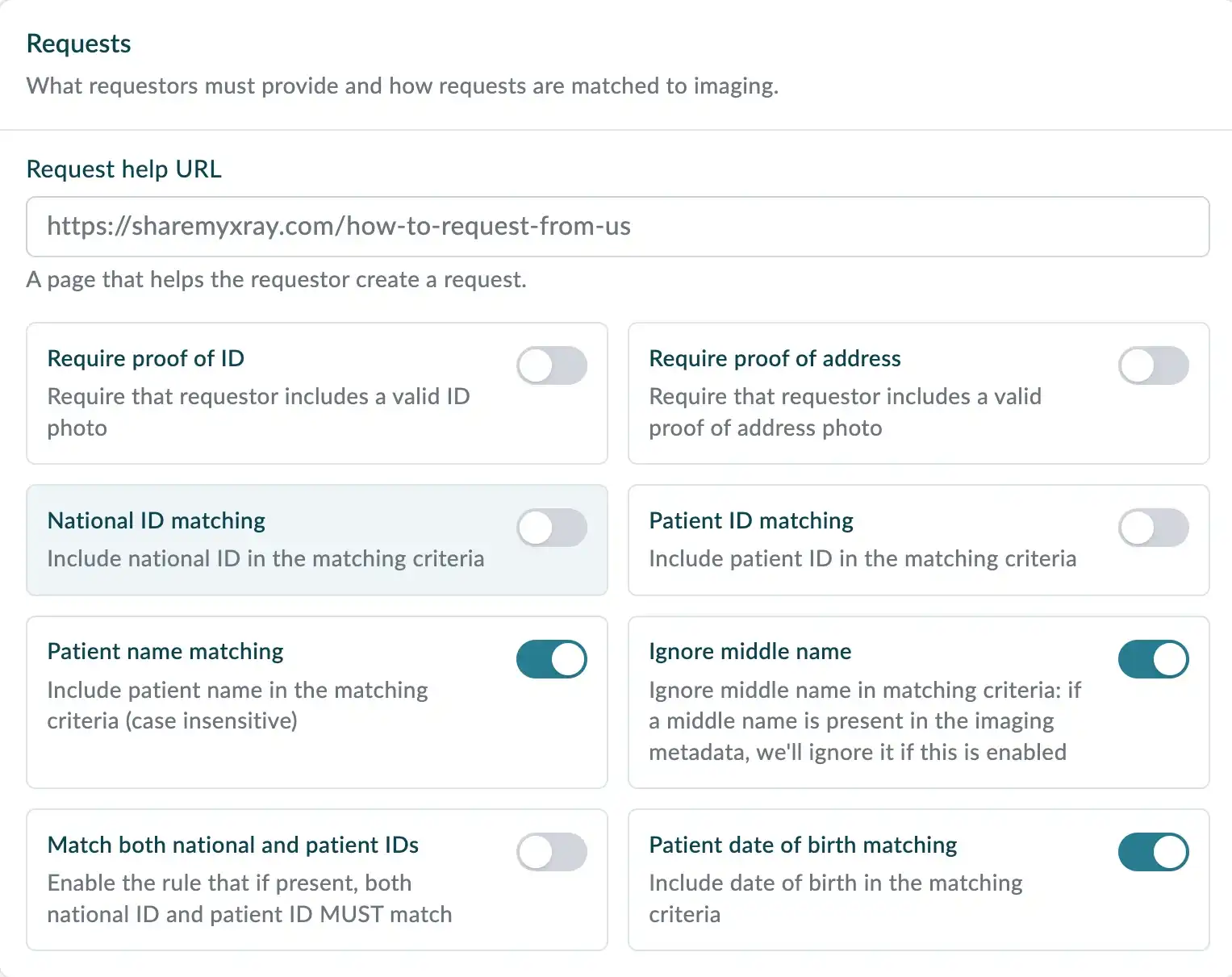
- In the Requests section, set Request help URL to a page on your website that explains your process and timescales for fulfilling requests.
- Turn on the options that match your organisation's requirements.
Proof of identity
- Require proof of ID: requesters must include a photo of valid ID.
- Require proof of address: requesters must include a photo of a valid proof of address.
Matching
These options decide which imaging you're shown when you fulfil a request.
- Patient name matching: the patient's name must match. Case doesn't matter.
- Ignore middle name: any middle name in the imaging is ignored when matching names.
- Patient date of birth matching: the date of birth must match.
- National ID matching: the national ID must match.
- Patient ID matching: the patient ID must match.
- Match both national and patient IDs: where both are present, both must match.